Common Errors and Troubleshooting for the YR06207 Gel Documentation System
The YR06207 Gel Documentation System is designed to streamline the documentation process for DNA and protein gels. Despite its advanced technology, users may occasionally encounter issues. Understanding common errors and how to troubleshoot them effectively can significantly enhance your operational efficiency. This article will delve into frequent symptoms, probable causes, and solutions, providing a comprehensive guide to ensure optimal functionality of the YR06207 system.
Understanding the YR06207 Gel Documentation System
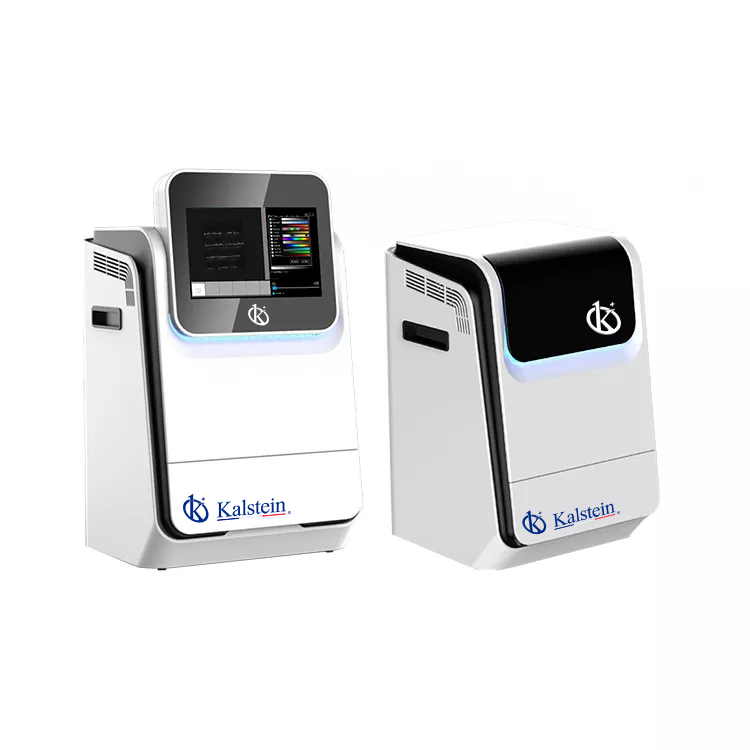
The YR06207 is a compact and intelligent gel documentation system that features a high-resolution digital camera and a removable industrial computer. This system is specifically designed to meet the needs of both DNA and protein gel documentation while offering ease of use through its intuitive software. With added capabilities like an optional fluorescence module, the YR06207 provides versatility for various laboratory applications.
Technical Specifications of the YR06207
| Specification | Details |
|---|---|
| Model | YR06207 |
| Application | Gel Documentation |
| Resolution | 6.3 Megapixels, 3072×2048 |
| Quantum Efficiency | 97% |
| Pixel Density | 16 bits (65536 Grey scales) |
| Lens | F1.2 Motorized Lens |
| Software | SHST Capture and Analysis Software for unlimited users |
Troubleshooting by Symptoms
In this section, we will break down the common symptoms encountered by users of the YR06207 Gel Documentation System, categorize them by error type, and provide concrete solutions.
Equipment Does Not Power On
If the YR06207 does not power on, it can be frustrating. However, there are systematic steps to diagnose the issue:
- Check the power source and ensure that it is functioning.
- Inspect the power cable for any visible damage.
- Ensure that the power switch is in the 'on' position.
After checking these points, if the system still does not power on, consider contacting technical support.
Error Code E-03
Error code E-03 may indicate that the camera is not communicating with the system. To troubleshoot:
- Restart the system to reset communication.
- Check connections between the camera and the computer.
- Ensure that the software is up to date.
Inconsistent Readings
Inconsistent readings can lead to unreliable results. This symptom can stem from various factors:
- Ensure that the gel is properly placed within the documentation chamber.
- Verify that the imaging settings are correctly configured.
- Check for any obstructions in the path of the camera.
Symptom-Cause-Solution Matrix
| Symptom | Probable Cause | Solution |
|---|---|---|
| Equipment Does Not Power On | Power source issue | Check power source and connections |
| Error Code E-03 | Camera communication failure | Restart system and check connections |
| Inconsistent Readings | Incorrect positioning or settings | Adjust gel placement and settings |
Best Practices to Prevent Errors
Preventive measures can save time and resources. Here are some best practices for operating the YR06207:
- Regularly update the software to the latest version.
- Conduct routine checks on hardware connections.
- Follow a proper maintenance schedule for the gel documentation system.
Frequently Asked Questions
What should I do if the YR06207 does not recognize the gel?
If the system does not recognize the gel, ensure that the gel is properly positioned in the chamber and that all imaging settings align with the gel type being documented. Consulting the user manual for specific gel requirements may also provide additional solutions.
How can I troubleshoot software issues on the YR06207?
Software issues can often be resolved by restarting the application or reinstalling the software. Make sure the software is updated and check the compatibility with your operating system.
What maintenance procedures are recommended for the YR06207?
Regular maintenance includes cleaning the camera lens, checking for software updates, and ensuring that all cables and connections are in good condition. Following the manufacturer’s guidelines for maintenance will prolong the lifespan of the equipment.
Can I use the YR06207 for both DNA and protein gels?
Yes, the YR06207 is designed to accommodate both DNA and protein gel documentation, making it a versatile choice for various laboratory applications.
What type of warranty comes with the YR06207?
The YR06207 typically comes with a standard manufacturer’s warranty. Refer to the warranty documentation provided at purchase for specific terms and coverage.
How can I request support for my YR06207?
Support can be requested through the manufacturer’s customer service channels. It is advisable to have your model number and details of the issue ready when you contact support.
If you are looking for a fusion of innovation and quality, you have come to the right place. At Kalstein, we offer you the luxury of exploring our exclusive catalog of laboratory equipment. We manufacture every device to the highest standards of excellence. Our intuitive and seamless online purchasing channels are designed for your convenience, securing the most competitive prices. Hesitate no longer — we bring science to life, it is time to become part of our community.