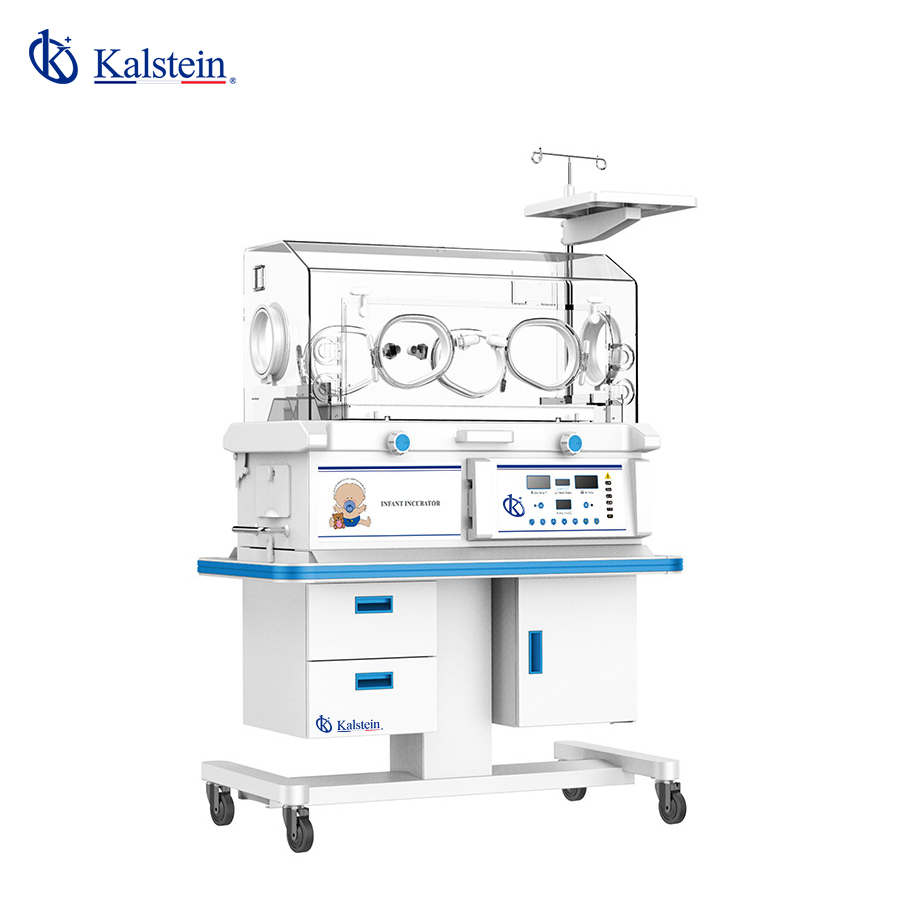
Infant Incubator YR02185: Troubleshooting Guide by Symptom 2026
The Infant Incubator YR02185 is an essential device for providing a stable environment for newborns, particularly those who are premature or ill. While this incubator is designed for reliability and efficiency, issues may arise that require troubleshooting. This guide focuses on common symptoms encountered with the YR02185 and provides practical solutions for each.
Common Symptoms and Troubleshooting Steps
Understanding the symptoms that may occur with the YR02185 is crucial for timely and effective maintenance. Below, we have categorized some frequent issues by symptom, along with probable causes and concrete solutions.
1. Equipment Does Not Power On
If the YR02185 fails to power on, follow these steps:
- Check Power Supply: Ensure that the incubator is plugged in and that the outlet is functional.
- Inspect Power Cable: Look for any visible damage to the power cable.
- Examine Fuses: Replace any blown fuses as needed.
2. Error Code E-03 Displayed
Error code E-03 can indicate an issue with the temperature control system. Follow these steps:
- Reboot the System: Power off and then restart the incubator to reset the system.
- Check Temperature Sensors: Inspect for sensor disconnection or damage.
- Calibration: Perform calibration to ensure accurate temperature readings.
3. Inconsistent Temperature Readings
Inconsistent temperature readings can pose risks to the neonate. Address this by:
- Calibrate Temperature Control: Recalibrate the temperature control settings.
- Verify Airflow Settings: Ensure that the natural air circulation system is functioning properly.
- Check for Obstructions: Ensure there are no items obstructing the airflow pathways.
4. Audible Alarms Triggering
Frequent alarms may indicate a malfunction or environmental irregularities. Troubleshoot by:
- Review Alarm Codes: Refer to the user manual for specific alarm codes and their meanings.
- Reset Alarm Functions: Reset alarms that may have been inadvertently triggered.
- Monitor Environmental Conditions: Ensure the incubator is placed in an appropriate environment per specifications.
5. Humidity Control Failure
If humidity levels are not maintaining, check the following:
- Water Reservoir: Ensure that the water tank is filled and properly connected.
- Inspect Humidity Sensors: Check that humidity sensors are functioning and connected.
- Calibrate Humidity Settings: Adjust and recalibrate settings if necessary.
Technical Data of YR02185
| Model | YR02185 |
|---|---|
| Temperature Control of Air | Yes |
| Skin Temperature Control | No |
| Air Temperature Control at 37 °C | No |
| Cot Can Be Tilted | Yes |
| Humidity Display | No |
| Humidity Control | No |
| Side Door | No |
| Aluminum Heat Retention Tank | Yes |
| Operating Windows and Access Ports | 2 Ports, 4 Windows |
| Cabinet | No |
| Adjustable Working Height | N/A |
| Additional Rear Door | No |
| Baby Scale Bed | No |
| Quiet DC Motor | No |
Frequently Asked Questions
What should I do if the YR02185 does not maintain the set temperature?
If the YR02185 does not maintain the set temperature, first check the calibration and ensure the incubator is not blocked by any obstructions. Next, inspect the temperature sensors for any damage. If necessary, recalibrate the temperature settings to ensure accuracy.
How can I reset the alarms on the YR02185?
To reset the alarms on the YR02185, locate the alarm reset button on the control panel. Press the button and check if the alarm continues to trigger. If it does, investigate the specific alarm code displayed to diagnose the issue further.
Is it possible to adjust the height of the incubator?
The YR02185 does not have an adjustable working height feature. Make sure it is placed on a stable surface at an appropriate height that facilitates caregiver access.
What are the common maintenance practices for the YR02185?
Regular maintenance practices for the YR02185 include cleaning the water tank, checking the filters, and ensuring the temperature and humidity sensors are calibrated. It is advisable to perform these checks routinely to maintain optimal performance.
Can I use accessories from other models with the YR02185?
It is recommended to use only compatible accessories specifically designed for the YR02185 to ensure safety and optimal function. Refer to the user manual for a list of recommended accessories.
How often should I perform calibration on the YR02185?
Calibration of the YR02185 should be performed at least once a month, or whenever maintenance is conducted or if discrepancies in temperature readings are observed.
Where can I request a quote for the YR02185?
You can request a quote for the YR02185 by contacting our sales department directly or visiting our online platform for more information.
If you are looking for a fusion of innovation and quality, you have come to the right place. At Kalstein, we offer you the luxury of exploring our exclusive catalog of laboratory equipment. We manufacture every device to the highest standards of excellence. Our intuitive and seamless online purchasing channels are designed for your convenience, securing the most competitive prices. Hesitate no longer — we bring science to life, it is time to become part of our community.