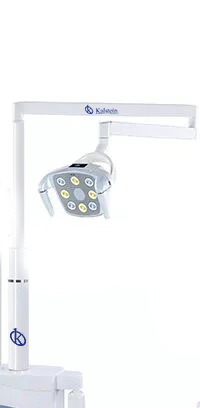
Installation and Setup Guide for the YR06012-OP12 Dental Accessory
The YR06012-OP12 is a vital component for any dental practice, designed to enhance the efficiency and effectiveness of dental operations. Proper installation and setup are crucial in ensuring that this equipment functions optimally and integrates seamlessly into your existing dental infrastructure. This guide will provide a comprehensive overview of the installation process, technical specifications, and troubleshooting tips.
Understanding the YR06012-OP12 Dental Accessory
The YR06012-OP12 is engineered to support various dental procedures, making it indispensable in modern dental practices. From its lightweight design to its advanced functionalities, understanding its role will help in achieving the best results. This accessory not only complements dental units but also ensures that practitioners can deliver high-quality care efficiently.
Technical Specifications of YR06012-OP12
| Model | Brand | Category | Price USD | Weight | Dimensions |
|---|---|---|---|---|---|
| YR06012-OP12 | Kalstein | Dental Accessories | $165.00 | N/A | N/A |
Installation Steps for YR06012-OP12
Correct installation is key to achieving the best performance from the YR06012-OP12. Below are the steps involved in installing this dental accessory:
- Unboxing: Ensure you have all components and accessories included in the package. Cross-check with the included checklist.
- Placement: Determine the optimal location for installation, taking into account accessibility and workflow within your dental office.
- Mounting: Secure the accessory as per manufacturer guidelines, ensuring stability and safety.
- Connection: Connect to power sources and other dental units, following the wiring diagram provided in the manual.
- Power Up: Switch on the unit and check for any errors or issues.
- Calibration: Follow the calibration process to ensure accurate functionality.
- Final Check: Verify all connections and functionalities before commencing operation.
Common Installation Mistakes to Avoid
While installing the YR06012-OP12, there are several common pitfalls that technicians and users should avoid:
- Improper placement leading to accessibility issues.
- Neglecting to follow the wiring diagram, which can result in connection failures.
- Skipping calibration steps that can affect operational accuracy.
Setup Validation and Testing
After installation, it is crucial to validate that the YR06012-OP12 is functioning as intended. Here are the steps for validation:
- Check for power status and ensure all lights are functioning.
- Run a test cycle to observe performance and identify any issues.
- Document any discrepancies and contact technical support if necessary.
Troubleshooting Common Issues with YR06012-OP12
Understanding potential problems can help in maintaining the YR06012-OP12 accessory effectively. Below is a troubleshooting guide for common symptoms:
| Symptom | Possible Cause | Solution |
|---|---|---|
| Equipment does not power on | Power connection issue | Check power source and connections |
| Error code displayed | Calibration error | Re-calibrate the unit |
| Inconsistent performance | Improper setup | Review installation steps |
Frequently Asked Questions
What are the essential components included with the YR06012-OP12?
The YR06012-OP12 comes with all necessary components for installation, including power cables, mounting hardware, and a user manual. Always refer to the unboxing checklist for a complete overview.
How do I maintain my YR06012-OP12 for longevity?
Regular maintenance includes cleaning, checking all connections, and performing periodic calibration as outlined in the user manual. Keeping the unit free from debris will also enhance its lifespan.
Can I integrate the YR06012-OP12 with other dental equipment?
Yes, the YR06012-OP12 is designed to be compatible with various dental equipment. Ensure you follow the wiring and connectivity instructions for seamless integration.
What power requirements does the YR06012-OP12 need?
The YR06012-OP12 operates on standard dental power supplies. Check the specifications in the manual for exact voltage and frequency requirements.
Is there a warranty for the YR06012-OP12?
Yes, the YR06012-OP12 comes with a manufacturer warranty that covers defects and malfunctions. Refer to the warranty terms in the user guide for specific details.
What should I do if my YR06012-OP12 shows an error code?
Refer to the troubleshooting section of the user manual to identify the cause of the error code. If the issue persists, contact technical support for assistance.
How can I request a quote for additional accessories for the YR06012-OP12?
You can request a quote directly through our online platform or contact our sales team for personalized assistance with your needs.
If you are looking for a fusion of innovation and quality, you have come to the right place. At Kalstein, we offer you the luxury of exploring our exclusive catalog of laboratory equipment. We manufacture every device to the highest standards of excellence. Our intuitive and seamless online purchasing channels are designed for your convenience, securing the most competitive prices. Hesitate no longer — we bring science to life, it is time to become part of our community.