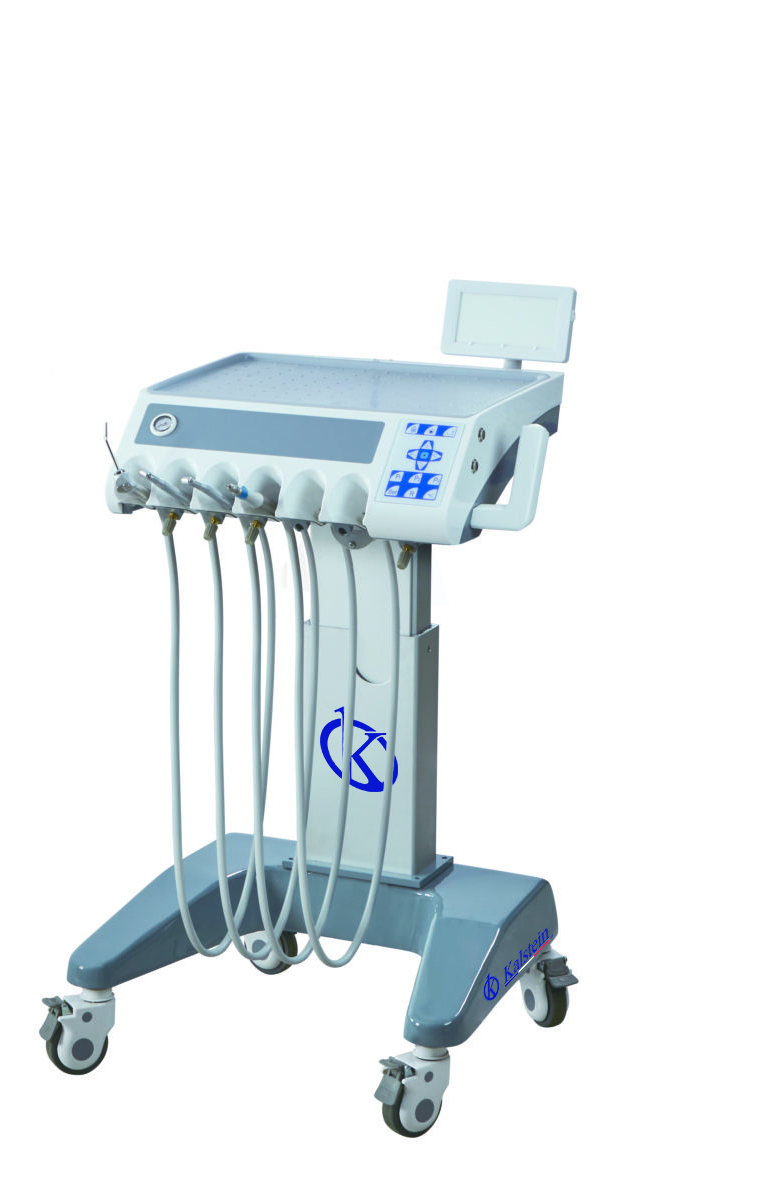
Installation and Startup Guide for the YR06012-OP2 Dental Accessory
The YR06012-OP2 Dental Accessory is a sophisticated piece of equipment designed to enhance the functionality of dental units. This guide aims to provide comprehensive insights into the installation and initial setup of the YR06012-OP2, ensuring a smooth integration into your dental practice.
Unboxing and Preparation
When you receive the YR06012-OP2, it is crucial to perform an unboxing checklist to ensure all components are present and to prepare for installation. The package typically includes the dental accessory itself, mounting hardware, a user manual, and any additional components necessary for setup.
Checklist for Unboxing:
- YR06012-OP2 Dental Accessory
- Mounting hardware
- User manual
- Warranty card
Installation Steps for YR06012-OP2
The installation of the YR06012-OP2 involves several critical steps, which should be followed meticulously to avoid any complications.
Step 1: Mounting the Unit
Begin by securely mounting the YR06012-OP2 dental accessory to the designated area in your dental clinic. Ensure that the surface is stable and can support the weight of the unit. Use the provided mounting hardware for secure installation.
Step 2: Connecting Utilities
The YR06012-OP2 requires connections to power and, depending on your configuration, water and air supplies. Ensure that all connections comply with local regulations and standards. Double-check each connection to avoid leaks or shorts.
Step 3: Leveling the Device
Once mounted, use a level to ensure the YR06012-OP2 is perfectly horizontal. This is vital for proper functioning and to prevent any operational issues.
Power-Up Sequence and First Calibration
After the unit is securely installed and utilities connected, you will proceed with powering up the YR06012-OP2.
Power-Up Procedure
Follow these steps to power up:
- Ensure the main power switch is turned off before connecting the power supply.
- Connect the power supply to the YR06012-OP2.
- Turn on the main power switch.
- Wait for the initialization process to complete, indicated by a display on the unit.
Calibration
Initial calibration is essential for optimal performance. Follow the instructions in the user manual to execute the calibration process accurately. This might include setting preferences for different operations applicable to your practice.
Common Setup Mistakes
During installation and setup, some common mistakes can lead to operational failures. Here are a few to avoid:
- Improper mounting leading to instability.
- Not securing utility connections, leading to leaks.
- Skipping the calibration process which may lead to inaccurate readings.
Technical Specifications of YR06012-OP2
| Model | Description | Used For |
|---|---|---|
| YR06012-OP2 | Cart Option | All our dental units |
Frequently Asked Questions
What is the recommended setup location for the YR06012-OP2?
The YR06012-OP2 should be set up in a well-ventilated area close to required utilities to ensure easy access and functionality.
How do I perform maintenance on the YR06012-OP2?
Regular maintenance should include cleaning the external surfaces and checking all connections. It is also advisable to consult the user manual for detailed maintenance procedures.
What are the most common issues encountered during the YR06012-OP2 installation?
Common issues include improper utility connections, misalignment during mounting, and failure to complete initial calibration.
Can I use the YR06012-OP2 with existing dental equipment?
Yes, the YR06012-OP2 is compatible with all our dental units, allowing for versatile integration into your existing setup.
What should I do if the YR06012-OP2 does not power on?
If the unit does not power on, check all utility connections and ensure that the power supply is operational. Refer to the troubleshooting section in the user manual if the problem persists.
Conclusion
If you are looking for a fusion of innovation and quality, you have come to the right place. At Kalstein, we offer you the luxury of exploring our exclusive catalog of laboratory equipment. We manufacture every device to the highest standards of excellence. Our intuitive and seamless online purchasing channels are designed for your convenience, securing the most competitive prices. Hesitate no longer — we bring science to life, it is time to become part of our community.