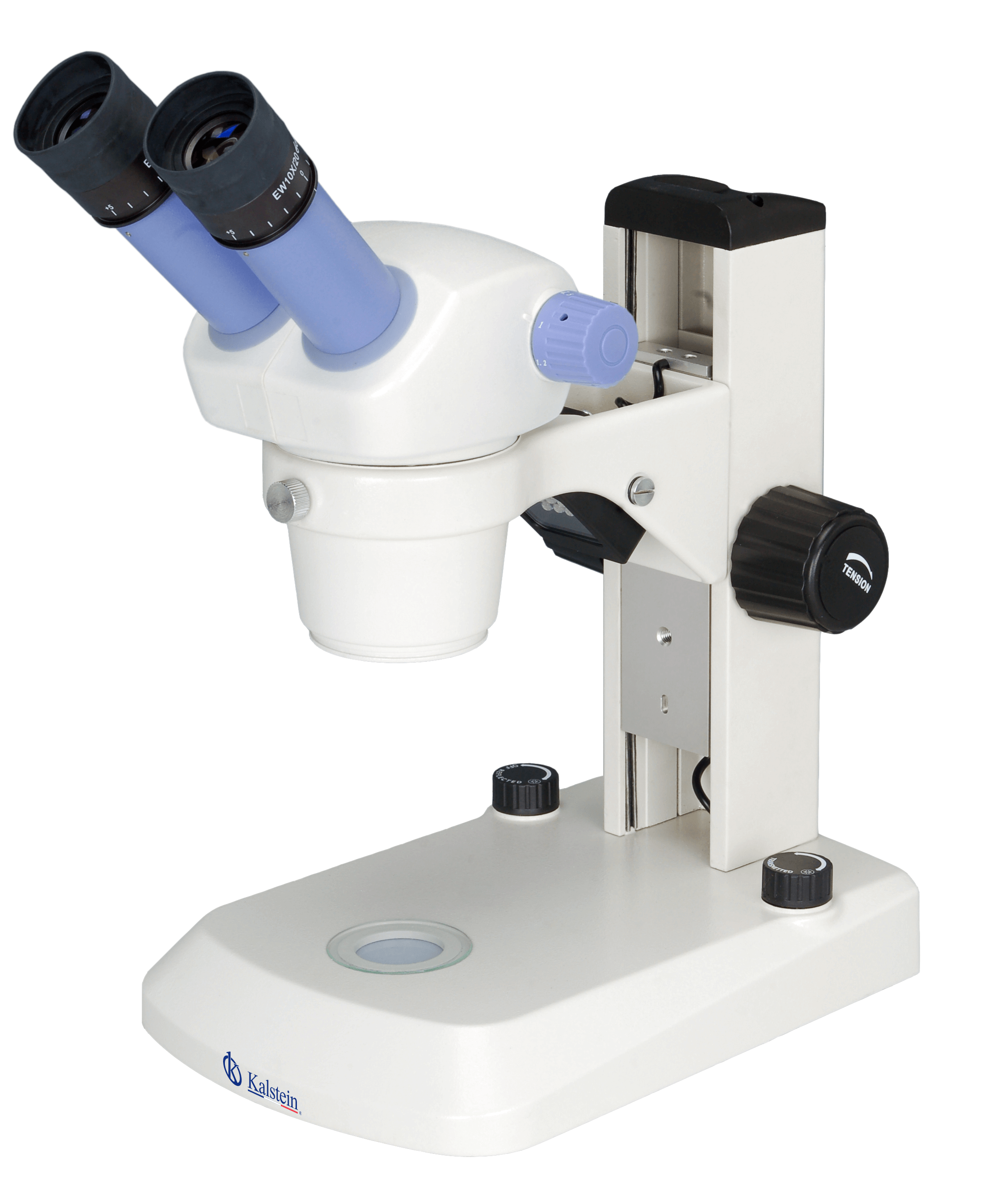
Troubleshooting Common Errors in the YR0253 Microscope: A Detailed Guide
The YR0253 Trinocular Microscope is a sophisticated instrument designed for various applications in clinical and educational laboratories. Despite its advanced features, users may encounter operational errors that can hinder performance. This guide aims to address common symptoms encountered with the YR0253 and provide practical troubleshooting solutions.
Understanding the YR0253 Microscope
The YR0253 microscope features a binocular and trinocular head, an adjustable diopter, and a robust stand equipped with LED illumination. Its optical system is designed for clarity and precision, making it suitable for various uses, including biological and industrial applications. Understanding each component's function is crucial when troubleshooting issues.
Technical Data of YR0253
| Specification | Description |
|---|---|
| Model | YR0253 |
| Head Type | Trinocular, inclined at 45°, interpupillary distance 55~75 mm |
| Eyepiece | WF10x/20 mm, high eyepoint |
| Objective Magnification | 1x~4.5x |
| Zoom Ratio | 01:04.5 |
| Working Distance | 97 mm |
| Stand | Rail support with glass stage |
| Illumination | Adjustable LED light from above and below |
Common Error Symptoms and Solutions
Troubleshooting the YR0253 involves understanding specific symptoms and determining their probable causes. The following sections outline common issues users may face and recommended fixes.
1. Microscope Does Not Power On
If the YR0253 does not power on, check the following:
- Power Source: Ensure that the microscope is properly plugged into a functioning electrical outlet.
- Power Cable: Inspect the power cable for damages or loose connections.
- Fuse: Check for blown fuses and replace if necessary.
Solution: After addressing these points, attempt to power on the microscope again. If the issue persists, consult with a technician.
2. Blurry or Inconsistent Images
Blurry images can arise from several factors:
- Dirty Lenses: Clean the objective and eyepiece lenses with appropriate lens cleaning solutions.
- Incorrect Focus: Adjust the coarse and fine focus knobs to achieve a clearer image.
- Misalignment: Ensure that the optical components are properly aligned.
Solution: Regularly clean the lenses and practice proper focusing techniques to maintain image quality.
3. LED Light Flickering
If the LED illumination is flickering, consider these aspects:
- Power Supply Fluctuation: Verify that the power supply is stable.
- LED Lifespan: Check if the LED has reached its end of life.
Solution: Replace the LED if necessary and ensure stable power supply for optimal performance.
4. Inability to Achieve Desired Magnification
Users may experience difficulty in reaching the desired magnification:
- Incorrect Objective Selection: Make sure the correct objective lens is in position.
- Zoom Mechanism Jammed: Inspect the zoom mechanism for any blockages or mechanical issues.
Solution: Regular maintenance and proper usage can help avoid these issues.
5. Image Distortion
Distorted images can result from:
- Optical Aberrations: Check for any lens defects or misalignments.
- Improper Setup: Ensure the microscope is level and stable.
Solution: Re-adjust the microscope setup and inspect lenses for any defects.
Symptom to Cause to Solution Matrix
| Symptom | Possible Cause | Solution |
|---|---|---|
| Microscope does not power on | Power source issues | Check outlet and cables |
| Blurry images | Dirty lenses or incorrect focus | Clean lenses and adjust focus |
| LED light flickering | Power supply instability | Ensure stable power supply |
| Inability to achieve magnification | Incorrect objective lens | Ensure the correct lens is in use |
| Image distortion | Optical aberrations | Inspect and adjust optical components |
Frequently Asked Questions
What are the common symptoms of issues with the YR0253 microscope?
Common symptoms include not powering on, blurry images, flickering LED light, inability to achieve desired magnification, and image distortion. Each symptom has specific troubleshooting steps that can be followed.
How can I improve the image quality on the YR0253 microscope?
Improving image quality can be achieved by cleaning the lenses, properly focusing the microscope, and ensuring that the optical components are well-aligned. Regular maintenance is also vital.
What should I do if the LED light in the YR0253 microscope burns out?
If the LED light burns out, it should be replaced with a compatible LED. Check the manual for specifications on replacement parts.
Can the YR0253 microscope be used in different laboratory settings?
Yes, the YR0253 is versatile and can be utilized in clinical, educational, industrial, and veterinary laboratories with appropriate configurations.
How often should the YR0253 microscope be serviced?
Regular servicing typically depends on usage frequency. It is advisable to have the microscope checked annually to maintain optimal performance and functionality.
Are there any optional accessories for the YR0253 microscope?
Yes, there are various optional accessories available for enhancing the functionality of the YR0253, including different eyepieces and auxiliary lenses that can be added based on specific needs.
Where can I find replacement parts for the YR0253 microscope?
Replacement parts can be acquired through authorized distributors or directly from manufacturers specializing in laboratory equipment.
If you are looking for a fusion of innovation and quality, you have come to the right place. At Kalstein, we offer you the luxury of exploring our exclusive catalog of laboratory equipment. We manufacture every device to the highest standards of excellence. Our intuitive and seamless online purchasing channels are designed for your convenience, securing the most competitive prices. Hesitate no longer — we bring science to life, it is time to become part of our community.