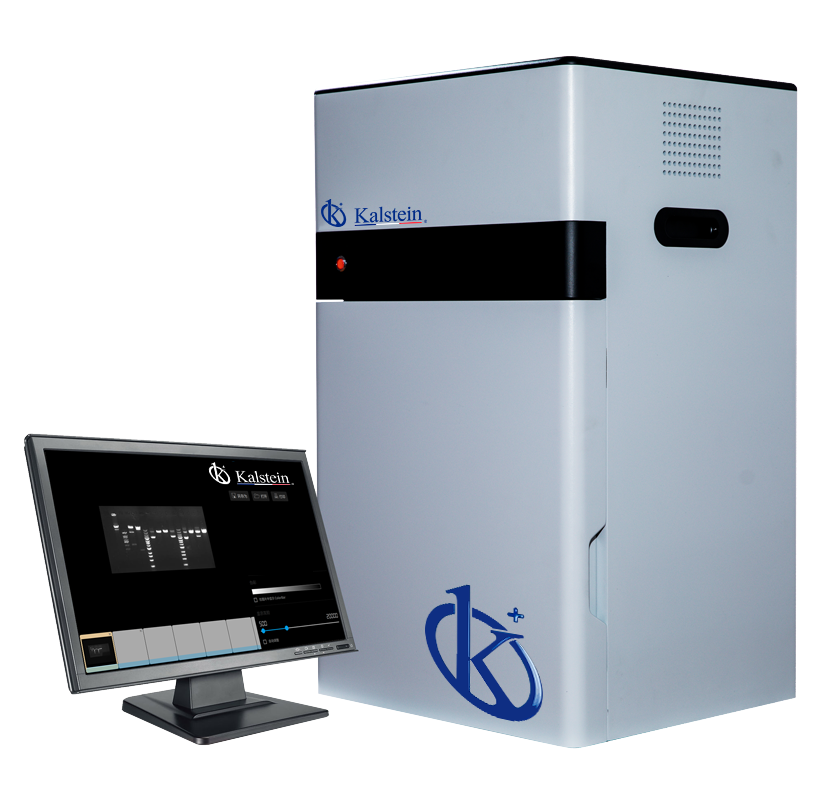
Troubleshooting Common Errors for the YR06063 Gel Documentation System
The YR06063 Gel Documentation System is a reliable tool for various applications in laboratories. However, like any sophisticated equipment, it may encounter issues from time to time. This article focuses on common errors and troubleshooting techniques specific to the YR06063, helping users maintain optimal performance and extend the equipment's lifespan.
Understanding the YR06063 Gel Documentation System
The YR06063 is designed for high-resolution imaging in scientific research and clinical applications. Featuring up to 20 megapixels resolution, a motorized high-sensitivity lens, and white LED transmission, it offers unparalleled performance in documentation tasks. Nonetheless, understanding how to manage and troubleshoot issues is essential for any operator.
Technical Specifications of the YR06063
| Feature | Specification |
|---|---|
| Model | YR06063 |
| Camera Type | Monochrome Scientific Digital Camera |
| Resolution | 5 Megapixels, 2592*1944 |
| A/D, Pixel Density | 16 bits |
| Gray Scales | 65536 |
| Lens | Motorized, No Manual Focus Required |
| Sensitivity | ≤10 pg EtBr-Stained DNA Samples |
| UV Transmission | Wavelength 302nm, Area: 21x26cm |
| LED White Transmission | Real LED Transmission Plate, Area 19x26cm |
| Filter | Standard Gel Doc Filter |
| Image Acquisition S/W | No Dongle Required, Free Updates, Unlimited Users |
| Image Analysis S/W | No Dongle Required, Free Updates, Unlimited Users |
Common Symptoms and Troubleshooting Techniques
Understanding common symptoms is crucial for troubleshooting. Below are frequent issues encountered with the YR06063, along with probable causes and solutions.
Equipment Does Not Power On
This is a common issue that can arise due to various factors. The first step is to check the power supply and connections. Ensure that the power cable is securely plugged into both the equipment and the electrical outlet.
Another probable cause could be a blown fuse within the power supply unit. Refer to the user manual for instructions on how to check and replace the fuse.
Error Code E-03
Error code E-03 typically indicates a communication error between the camera and the computer. Start by verifying that all cables are correctly plugged in and undamaged. Restarting both the camera and the computer may also resolve temporary glitches.
If the issue persists, consider reinstalling the software used for the YR06063, as corrupted software can lead to communication failures.
Inconsistent Readings
Users may experience inconsistent readings during imaging. This can often be attributed to improper calibration or environmental factors. Ensure that the equipment is properly leveled and calibrated before use.
Additionally, check for any dust or fingerprints on the lens, as these can distort images and lead to misleading results.
Symptom-Cause-Solution Table
| Symptom | Probable Cause | Solution |
|---|---|---|
| Equipment Does Not Power On | Faulty power supply or blown fuse | Check power connections and replace fuse if necessary |
| Error Code E-03 | Communication failure | Verify cable connections and reboot systems |
| Inconsistent Readings | Improper calibration or dirty lens | Calibrate equipment and clean lens |
Maintenance Practices to Prevent Errors
Regular maintenance is essential to prevent common errors with the YR06063. Here are some recommended practices:
- Routine Cleaning: Clean the lens and exterior surfaces regularly to avoid contamination.
- Calibration: Conduct calibration checks periodically, especially after transport.
- Software Updates: Regularly update the software to ensure compatibility with the latest features and fixes.
Frequently Asked Questions
What should I do if my YR06063 displays a blank screen?
A blank screen may signify issues with power or connectivity. Verify that the equipment is powered on and correctly connected to the display device. If the issue persists, consult the user manual for troubleshooting steps.
How can I improve image quality when using the YR06063?
Improving image quality can involve ensuring optimal lighting conditions, adjusting exposure settings, and regularly cleaning the lens. Calibration is also critical for accurate imaging results.
What types of samples can be documented with the YR06063?
The YR06063 is ideal for a variety of samples, including DNA gels, protein gels, and other biological specimens requiring high-resolution imaging.
Is it necessary to use specific software with the YR06063?
While the YR06063 comes with recommended software, it supports various imaging platforms. Ensure that any third-party software is compatible to avoid operational conflicts.
How often should I conduct maintenance on the YR06063?
Regular maintenance should occur monthly, with thorough inspections and cleaning. More frequent checks may be necessary if the equipment is used in a high-throughput environment.
Can I request a service for the YR06063?
Yes, service requests can be made through authorized service centers. It's advisable to keep documentation of any equipment issues for reference during service.
If you are looking for a fusion of innovation and quality, you have come to the right place. At Kalstein, we offer you the luxury of exploring our exclusive catalog of laboratory equipment. We manufacture every device to the highest standards of excellence. Our intuitive and seamless online purchasing channels are designed for your convenience, securing the most competitive prices. Hesitate no longer — we bring science to life, it is time to become part of our community.