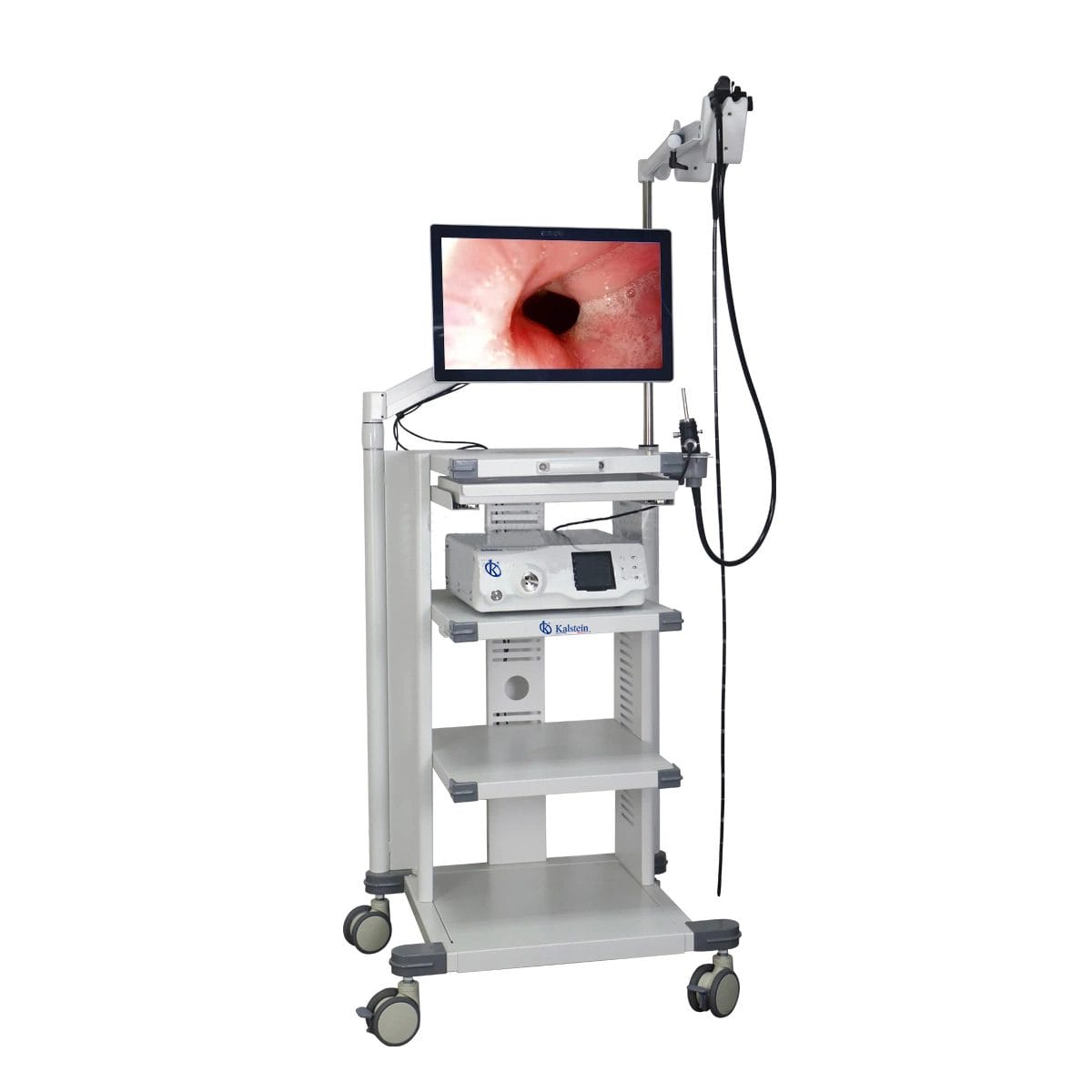
Troubleshooting Common Errors with the YR06150 Veterinary Video Endoscope
The YR06150 Veterinary Video Endoscope is an advanced tool used in veterinary practices for procedures such as gastroscopy, colonoscopy, and bronchoscopy. As with any sophisticated equipment, users may encounter errors or symptoms requiring troubleshooting. This guide focuses on identifying common issues, understanding their probable causes, and providing concrete solutions to ensure optimal performance of the YR06150.
Technical Specifications of the YR06150
| Model | Diameter of Insertion Tube | Working Channel | Working Length | View Angle | View Depth | Range of Bending | Resolution |
|---|---|---|---|---|---|---|---|
| YR06150 | 11.5 mm | 3.2 mm | 3500 mm | 140° | 3~100 mm | 180° (U), 130° (D), 160° (R), 160° (L) | FHD 1080P (2M pixels) |
Common Symptoms and Troubleshooting Steps
Each section below discusses specific symptoms that may arise with the YR06150 and outlines their probable causes along with solutions.
Equipment Does Not Power On
This is a critical issue that can halt operations. The following are possible causes:
- Power Source Issue: Check if the endoscope is connected to a functional power source. Ensure that the power outlet is working.
- Cable Damage: Inspect the power cable for any visible damage or fraying.
Solution: Replace the power cable if damaged. Confirm that the outlet is operational by testing it with another device.
Error Code E-03
Error code E-03 typically indicates a malfunction in the video processing unit. Possible causes include:
- Overheating: Continuous operation may lead to overheating of the device.
- Firmware Corruption: Check if the firmware is updated and functioning correctly.
Solution: Allow the device to cool down, and consider rebooting. If the issue persists, check for firmware updates or reinstall the firmware.
Inconsistent Image Quality
Inconsistent or poor image quality can be frustrating during procedures. Possible causes include:
- Lens Obstruction: Dirt or obstruction on the lens could affect visibility.
- Improper Settings: Ensure that the resolution settings are appropriate for the procedure.
Solution: Clean the lens with appropriate cleaning materials. Adjust settings as required for optimal image quality.
Symptom-Solution Matrix
| Symptom | Probable Cause | Solution |
|---|---|---|
| Equipment Does Not Power On | Power Source Issue, Cable Damage | Check outlet, replace cable if damaged |
| Error Code E-03 | Overheating, Firmware Corruption | Cool down device, check/reinstall firmware |
| Inconsistent Image Quality | Lens Obstruction, Improper Settings | Clean lens, adjust resolution settings |
Frequently Asked Questions
What should I do if the YR06150 displays a blue screen?
A blue screen may indicate a hardware malfunction or a system error. First, try rebooting the device. If the issue persists, check the connections and look for any visible signs of damage. If necessary, consult the manufacturer's technical support for further diagnostics.
How can I maintain the YR06150 for optimal performance?
Regular maintenance includes cleaning the lens after each use, ensuring all cables are intact, and periodically checking for software updates. It is also advisable to store the device in a controlled environment to prevent damage.
What types of endoscopic procedures can I perform with the YR06150?
The YR06150 is designed for a wide range of procedures, including gastroscopy, colonoscopy, and bronchoscopy in small animals. It can also be used for esophagoscopy and other surgeries in larger animals.
How do I troubleshoot connection issues with the YR06150?
Check all cable connections for security and ensure that the device is properly connected to the power source. If using video output, ensure that the correct output settings are selected. Testing with another monitor can help isolate the issue.
Is there a warranty on the YR06150, and how can I claim it?
The YR06150 typically comes with a warranty covering defects in materials and workmanship. Refer to the warranty documentation provided with your purchase for specific details on how to claim warranty services.
If you are looking to purchase or inquire further about the YR06150 Veterinary Video Endoscope, please request a quote on Kalstein Plus.
If you are looking for a fusion of innovation and quality, you have come to the right place. At Kalstein, we offer you the luxury of exploring our exclusive catalog of laboratory equipment. We manufacture every device to the highest standards of excellence. Our intuitive and seamless online purchasing channels are designed for your convenience, securing the most competitive prices. Hesitate no longer — we bring science to life, it is time to become part of our community.