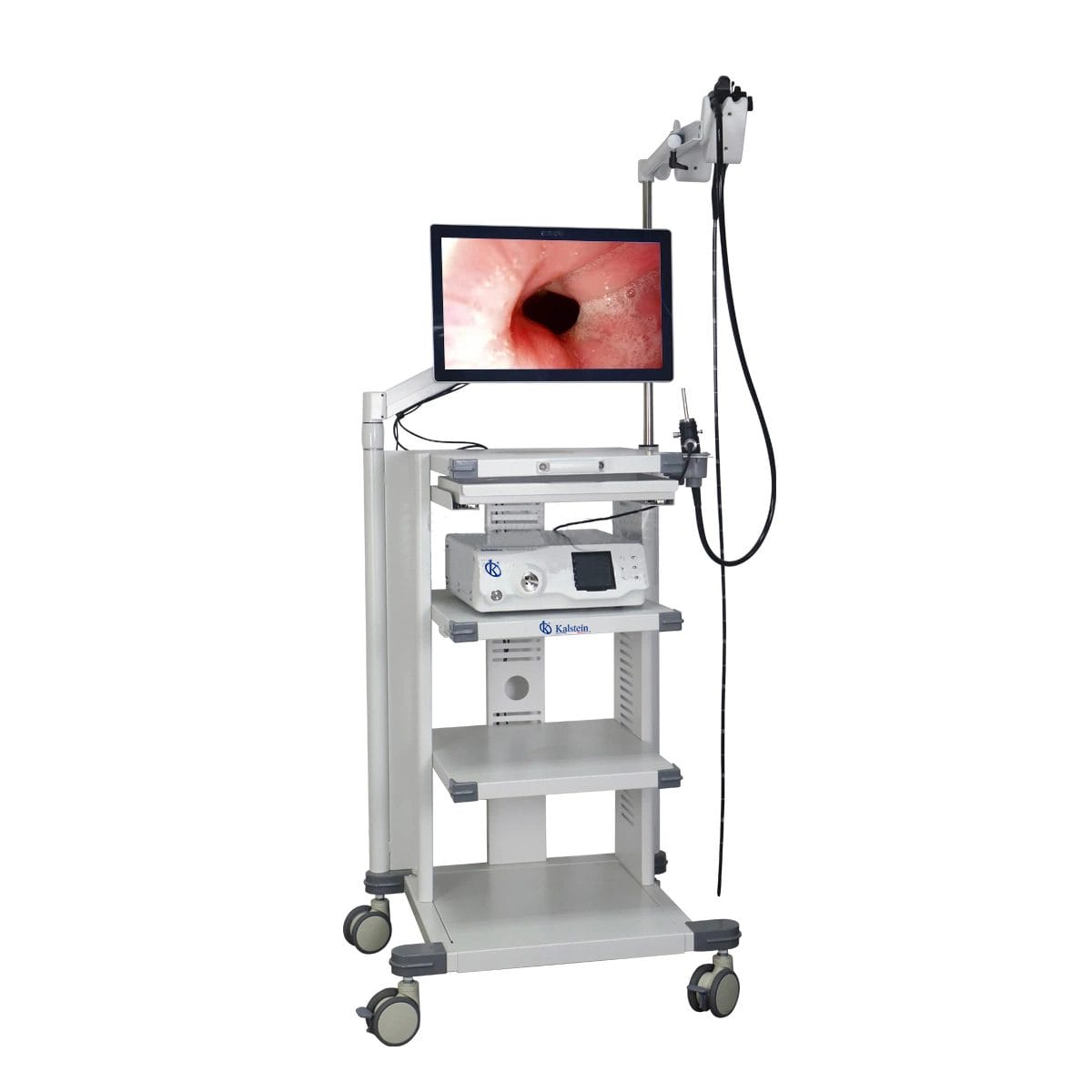
Troubleshooting Common Issues with the YR06145 Veterinary Video Endoscope
The YR06145 Veterinary Video Endoscope is a sophisticated instrument used in various veterinary procedures, including gastroscopy, colonoscopy, and bronchoscopy. However, like any advanced technological equipment, it may occasionally present issues that require troubleshooting. Understanding the common symptoms and solutions is essential for maintaining optimal operation and ensuring smooth procedures.
Understanding the YR06145: A Technical Overview
| Model | Diameter of Insertion Tube | Working Channel | Working Length | View Angle | View Depth | Range of Bending | Resolution |
|---|---|---|---|---|---|---|---|
| YR06145 | 6.8 mm | 2.2 mm | 1500 mm | 120° | 3~100 mm | 210° (Up), 130° (Down), 100° (Right), 100° (Left) | HD 720P (1M pixels) |
Troubleshooting by Symptoms
1. Equipment Does Not Power On
When the YR06145 Veterinary Video Endoscope does not power on, it can be due to several reasons:
- Power Supply Issues: Ensure the device is properly plugged in and that the power supply is functional. Check the power cord for damage.
- Internal Fuse: The internal fuse may be blown. Consult the service manual for replacement procedures.
- Battery Problems: If battery-operated, ensure the battery is charged and functioning.
To resolve this issue, check the power supply, inspect the fuse, and replace or recharge the battery as necessary.
2. Error Code E-03 Displayed
Error code E-03 typically indicates a malfunction in the image processing system. Potential causes include:
- Connection Issues: Check all cable connections. Ensure that the endoscope is securely connected to the main unit.
- Software Glitch: Restart the device to reset its software. If the issue persists, consider updating the firmware.
- Hardware Fault: If none of the above solutions work, there may be a hardware failure requiring professional servicing.
To troubleshoot, check connections, restart the device, and, if needed, perform a firmware update or contact service support.
3. Inconsistent Image Quality
If the images displayed by the YR06145 are inconsistent or unclear, investigate the following:
- Lens Obstruction: Inspect the lens for dirt, scratches, or damage. Clean or replace as necessary.
- Lighting Issues: Ensure that the LED light source is functioning correctly. Adjust brightness settings as needed.
- Improper Angling: Ensure proper angling and positioning of the endoscope during usage.
To address this, clean the lens, check the lighting source, and adjust the endoscope positioning to ensure optimal view quality.
4. The Endoscope Is Not Responding
If the endoscope does not respond to controls, consider these factors:
- Unresponsive Controls: Ensure that the control buttons are functioning. If not, there may be a software issue.
- Connection Problems: Check all connections to ensure there is a secure link between the endoscope and the processor.
- Hardware Failure: If the controls remain unresponsive, there may be an underlying hardware issue.
Start troubleshooting by checking the controls, ensuring all connections are secure, and contacting service support if hardware issues are suspected.
Troubleshooting Summary Table
| Symptom | Possible Cause | Solution |
|---|---|---|
| Equipment Does Not Power On | Power supply issues, internal fuse blown, battery problems | Check power supply, replace fuse, recharge battery |
| Error Code E-03 Displayed | Connection issues, software glitch, hardware fault | Check connections, restart device, update firmware |
| Inconsistent Image Quality | Lens obstruction, lighting issues, improper angling | Clean lens, check light source, adjust positioning |
| The Endoscope Is Not Responding | Unresponsive controls, connection problems, hardware failure | Check controls, ensure connection, contact support |
Frequently Asked Questions
What should I do if the YR06145 displays an error code during operation?
If the YR06145 displays an error code, refer to the troubleshooting guide to identify the cause of the error. Common error codes typically relate to power, connectivity, or hardware issues. Restart the device and check connections, then consult the manual for specific error code resolutions.
How do I maintain the YR06145 to prevent common issues?
Regular maintenance is crucial for preventing issues with the YR06145. Ensure that the device is cleaned after each use, check for any wear and tear on cables and connectors, and regularly update the software to the latest version. Following these steps will help extend the lifespan and reliability of the endoscope.
Can I use the YR06145 in various veterinary procedures?
Yes, the YR06145 is designed to be versatile, suitable for a range of veterinary procedures such as gastroscopy, colonoscopy, and bronchoscopy in both small and large animals. Be sure to follow the recommended protocols for each procedure to ensure optimal outcomes.
What are the typical causes of poor image quality with the YR06145?
Poor image quality can be caused by several factors including dirt or damage to the lens, malfunctions in the lighting source, or incorrect angling of the endoscope. Regular cleaning and proper positioning can significantly improve image clarity.
Is there a warranty for the YR06145, and what does it cover?
The YR06145 typically comes with a warranty that covers manufacturing defects and specific parts for a defined period. Always refer to the warranty documentation for detailed coverage information and terms.
How do I request technical support for the YR06145?
To request technical support, contact the manufacturer or your service provider directly. Have your model number, a description of the issue, and any error codes available to expedite the support process.
Conclusion
If you are experiencing issues with the YR06145 Veterinary Video Endoscope, understanding the common symptoms and solutions can enhance operational efficiency and reduce downtime. By following the troubleshooting guide, you can quickly identify and rectify problems, ensuring that your endoscope operates smoothly.
For personalized assistance and to get a quote on the YR06145, please reach out to us.
If you are looking for a fusion of innovation and quality, you have come to the right place. At Kalstein, we offer you the luxury of exploring our exclusive catalog of laboratory equipment. We manufacture every device to the highest standards of excellence. Our intuitive and seamless online purchasing channels are designed for your convenience, securing the most competitive prices. Hesitate no longer — we bring science to life, it is time to become part of our community.