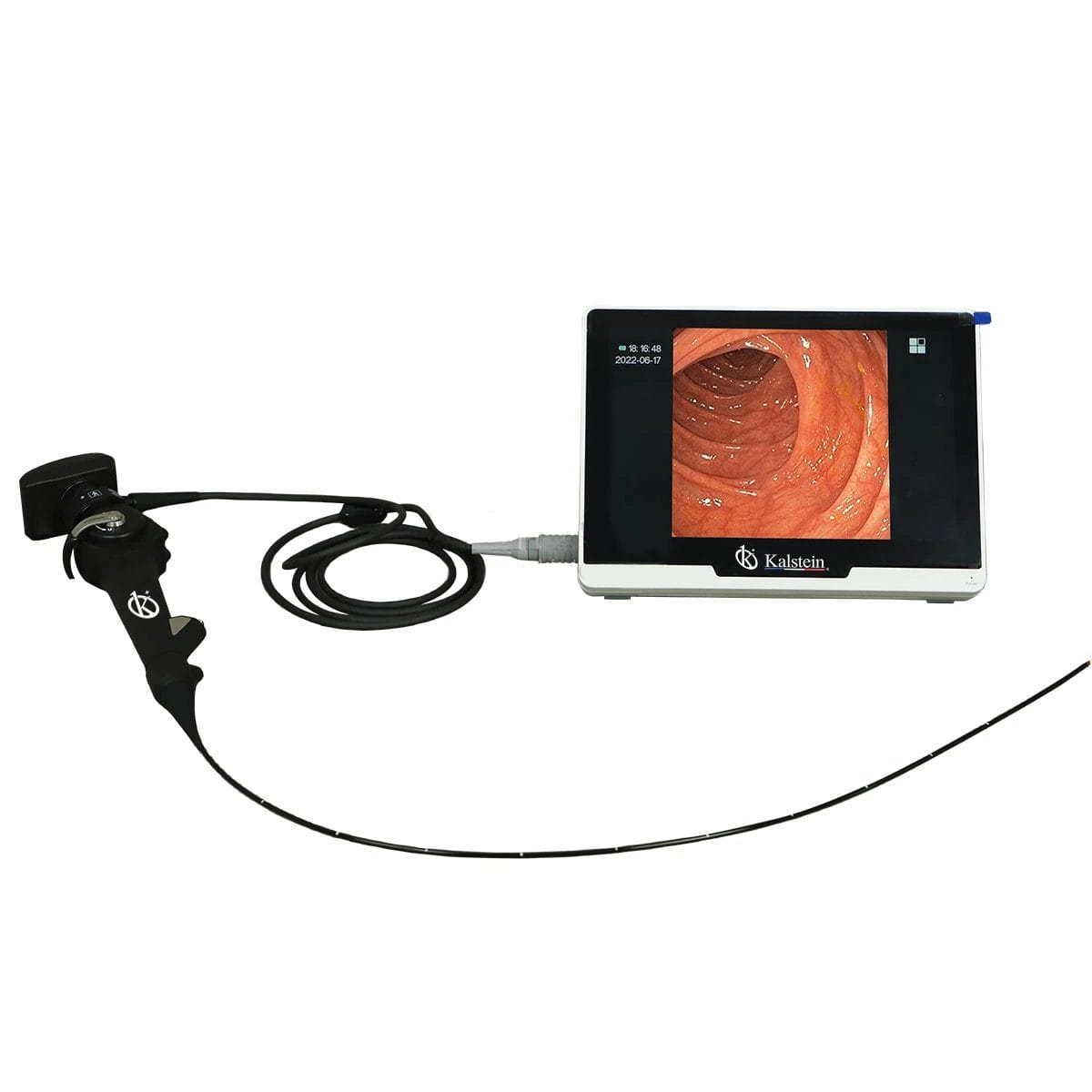
Troubleshooting Common Issues with the YR06152 Portable Veterinary Video Endoscope
The YR06152 Portable Veterinary Video Endoscope is a vital tool for veterinarians, providing high-resolution images and versatile applications in animal healthcare. However, like any sophisticated equipment, it may encounter issues that require troubleshooting. This guide will focus on the common symptoms experienced with the YR06152, along with their causes and practical solutions.
Understanding the YR06152: Key Features
| Model | Diameter of Insertion Tube | Working Channel | Working Length | View Angle | View Depth | Range of Bending | Screen Size |
|---|---|---|---|---|---|---|---|
| YR06152 | 3.8 mm | 1.5 mm | 1000 mm | 120° | 3-200 mm | 180° (Up), 130° (Down), 120° (Right), 120° (Left) | 10-inch |
The YR06152 model features a high-resolution CMOS sensor offering clear images, real-time viewing, and a durable LED light source for optimal visibility. It includes multifunctional buttons on the handle for ease of use, allowing veterinarians to capture photos and videos, zoom in, and freeze images with one hand. This model’s flexibility makes it suitable for a variety of veterinary applications, including bronchoscopy and cystoscopy.
Common Symptoms and Troubleshooting Steps
This section provides a detailed troubleshooting guide that addresses common symptoms associated with the YR06152 model. Each symptom includes probable causes and recommended solutions.
Power Issues: Equipment Does Not Power On
If the YR06152 does not power on, consider the following:
- Insufficient Battery Charge: Check if the battery is charged adequately. Connect to power and allow charging for a sufficient period.
- Defective Power Adapter: Inspect the power adapter for any signs of damage. Replace if necessary.
- Internal Circuit Failure: If the issue persists, the internal circuitry may require inspection by a technician.
Error Code E-03: Camera Malfunction
Error code E-03 indicates a malfunction with the camera. Possible causes include:
- Loose Connections: Check all cable connections to ensure they are secure and properly seated.
- Faulty Camera Sensor: If connections are intact, the camera sensor may be defective and require replacement.
- Software Glitch: Restart the device to reset the software and clear temporary glitches.
Inconsistent Image Quality: Blurry or Discolored Images
Blurry or discolored images can result from several factors:
- Dirty Lens: Clean the lens with a soft cloth and lens cleaner.
- Improper Focus: Adjust the focus settings to achieve a clearer image.
- Lighting Issues: Ensure adequate lighting conditions; reposition the LED source if necessary.
Video Feed Lag: Delayed Image Transfer
If there is a noticeable delay in the video feed, consider these solutions:
- Signal Interference: Check for interference from other electronic devices and reposition the endoscope as required.
- Outdated Firmware: Ensure that the device firmware is up-to-date to resolve known issues.
- Connection Quality: Test connections and cables for damage or wear that could impact data transfer.
Compatibility Issues with Accessories
Incompatibility with accessories can lead to functionality problems:
- Non-Approved Accessories: Only use manufacturer-recommended accessories to avoid malfunctions.
- Incorrect Connection: Double-check the connections when using accessories to ensure compatibility.
Symptom-Cause-Solution Matrix
| Symptom | Possible Cause | Solution |
|---|---|---|
| Equipment does not power on | Insufficient battery charge | Charge the battery |
| Equipment does not power on | Defective power adapter | Replace power adapter |
| Error code E-03 | Loose connections | Secure all connections |
| Error code E-03 | Faulty camera sensor | Replace camera sensor |
| Blurry images | Dirty lens | Clean the lens |
| Video feed lag | Signal interference | Reposition endoscope |
Frequently Asked Questions
What should I do if my YR06152 endoscope shows an error message?
First, consult the user manual for the specific error code. Most errors can often be resolved by resetting the device or checking connections. If issues persist, contact technical support for further assistance.
How can I maintain the YR06152 for optimal performance?
Regular maintenance includes cleaning the lens after each use, checking for any visible wear on cables, and updating firmware as needed. Store the endoscope in a protective case to prevent damage.
What are the best practices for using the YR06152 during procedures?
Ensure that the environment is well-lit, and the animal is properly positioned for the procedure. Familiarize yourself with the controls before starting, and always test the equipment functionality beforehand.
How often should I calibrate the YR06152?
Calibration should be performed at least once before major procedures or if you notice discrepancies in image quality. Regular checks can help maintain accuracy over time.
Where can I find replacement parts for the YR06152?
Replacement parts can typically be ordered through the manufacturer’s authorized distributors or directly through the manufacturer’s customer service. Always ensure you are sourcing genuine parts.
Is there a warranty for the YR06152, and what does it cover?
Yes, the YR06152 comes with a warranty that covers defects in materials and workmanship. Review the warranty terms for coverage details and duration. Any misuse or unauthorized repairs may void the warranty.
How can I request a quote for the YR06152?
You can request a quote by contacting the sales team through the official channels provided by the manufacturer. They will assist you with pricing and availability.
If you are looking for a fusion of innovation and quality, you have come to the right place. At Kalstein, we offer you the luxury of exploring our exclusive catalog of laboratory equipment. We manufacture every device to the highest standards of excellence. Our intuitive and seamless online purchasing channels are designed for your convenience, securing the most competitive prices. Hesitate no longer — we bring science to life, it is time to become part of our community.