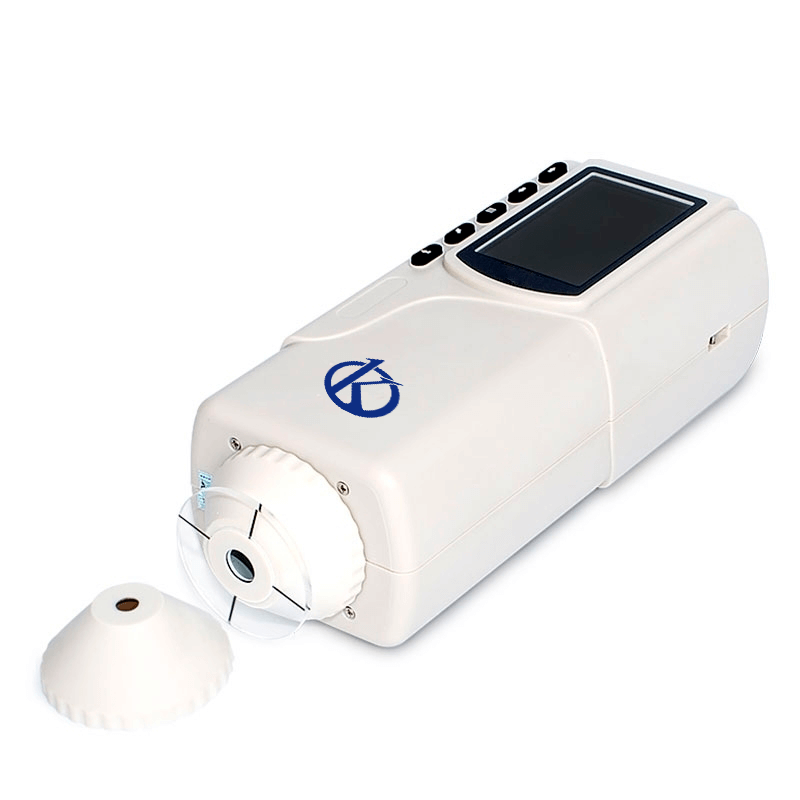
Troubleshooting Common Errors with the YR05509 Colorimeter
The YR05509 Colorimeter is an essential instrument widely used in various industries such as plastics, electronics, textiles, and food science for precise color measurements. Despite its robust design and high accuracy, users may encounter common issues that can affect performance. This guide aims to explore these issues, categorize them by symptoms, and provide troubleshooting strategies to ensure optimal operation of the YR05509.
Understanding the YR05509 Colorimeter
| Specification | Details |
|---|---|
| Model | YR05509 |
| Illumination/Viewing Geometry | 8°/d |
| Light Source | LED Light |
| Sensor | Silicon Photodiode Array |
| Measurement Aperture | Flat Aperture Φ8 mm; Tip Aperture Φ4 mm |
| Color Space | CIE Lab, XYZ, LCh, CIE RGB, CIE LUV |
| Other Chromaticity Data | WI, YI, Color Fastness, etc. |
| Observer | CIE 10° |
| Illuminant | D65, A, C, D50, etc. |
| Measuring Time | 0.4 seconds |
| Dimensions | 205 x 67 x 80 mm |
| Weight | 500 g |
| Battery | Rechargeable Lithium-ion |
| Operating Temperature | 0~40 °C (32~104 °F) |
| Storage Capacity | 100 standards, 20,000 samples |
Troubleshooting by Symptoms
Equipment Does Not Power On
If your YR05509 does not power on, there are several potential causes to consider:
- Cause: Dead or improperly connected battery.
- Diagnostic Step: Check the battery connection and ensure it is charged.
- Solution: Replace the rechargeable battery if necessary and ensure proper installation.
Error Code E-03
Error code E-03 indicates an issue with the light source or sensor.
- Cause: Faulty LED light source.
- Diagnostic Step: Inspect the LED for damage.
- Solution: Replace the LED light source if damaged.
Inconsistent Readings
Inconsistent readings can compromise accuracy and reliability.
- Cause: Improper calibration or environmental factors.
- Diagnostic Step: Re-calibrate the device and check for vibrations or temperature fluctuations.
- Solution: Ensure stable environmental conditions during measurements and recalibrate regularly.
Symptom→Cause→Solution Matrix
| Symptom | Potential Cause | Recommended Solution |
|---|---|---|
| Equipment Does Not Power On | Dead battery | Check and replace battery if needed |
| Error Code E-03 | Faulty LED | Inspect and replace LED |
| Inconsistent Readings | Poor calibration | Recalibrate under stable conditions |
| Display Malfunction | Software glitch | Reboot device and check for updates |
| Faulty Color Measurement | Improper sample positioning | Ensure correct alignment during measurement |
Common Maintenance Practices
Regular maintenance is essential to prevent issues with the YR05509. Here are some best practices:
- Regularly clean the measurement apertures to avoid contamination.
- Perform calibration checks frequently, especially before major projects.
- Store the colorimeter in a stable environment free from extreme temperatures and humidity.
- Conduct periodic software updates to ensure optimal functionality.
Frequently Asked Questions
What should I do if the YR05509 displays an error message?
First, consult the user manual to identify the error code. Follow the troubleshooting steps outlined for that specific error. If issues persist, consider contacting customer support.
How often should I calibrate my YR05509 colorimeter?
Calibration frequency depends on usage; however, it is advisable to calibrate before significant measurement sessions and at least once a month under regular usage conditions.
Can I use the YR05509 for food color measurements?
Yes, the YR05509 is suitable for food color measurement as it accurately analyzes color differences using the CIE color space, making it ideal for quality control in the food industry.
What is the maximum number of samples I can store in the YR05509?
The YR05509 can store up to 20,000 samples, allowing for extensive data collection and analysis.
Are there any accessories available for the YR05509?
Yes, optional accessories such as a mini thermal printer and powder testing box are available to enhance the functionality of the YR05509.
What environmental conditions are optimal for operating the YR05509?
The YR05509 operates best within a temperature range of 0 to 40 °C (32 to 104 °F) and should be kept in a dry environment to avoid measurement inaccuracies.
Conclusion and Call to Action
Troubleshooting the YR05509 can significantly enhance its operational reliability, ensuring you obtain accurate color measurements. Regular maintenance and understanding common errors will empower you to use this colorimeter effectively. If you are looking for a fusion of innovation and quality, you have come to the right place. At Kalstein, we offer you the luxury of exploring our exclusive catalog of laboratory equipment. We manufacture every device to the highest standards of excellence. Our intuitive and seamless online purchasing channels are designed for your convenience, securing the most competitive prices. Hesitate no longer — we bring science to life, it is time to become part of our community.