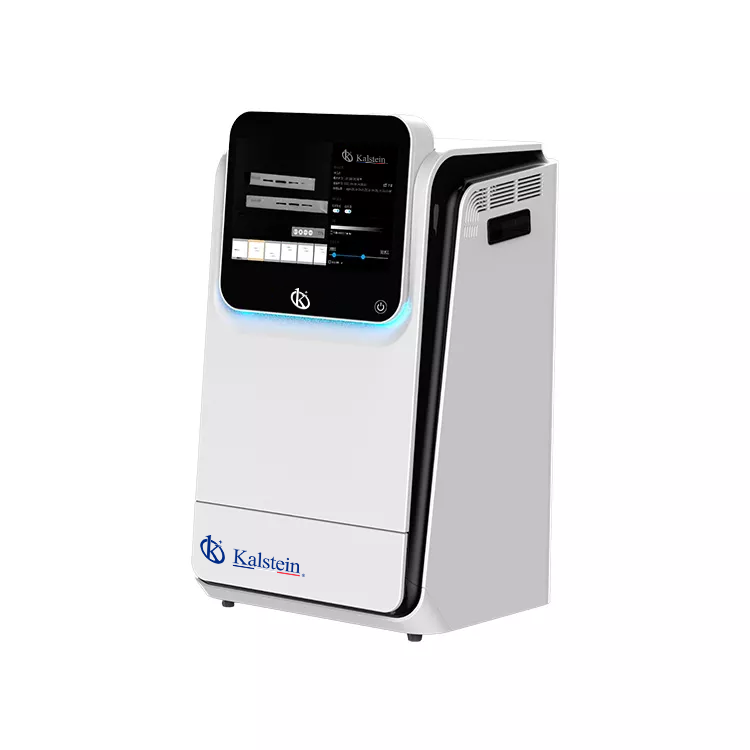
Common Errors and Troubleshooting Symptoms for the YR06210 Multifunctional Imager
The YR06210 Multifunctional Imager is a powerful tool for researchers, providing high performance in fluorescence and chemiluminescence detection. However, like any advanced laboratory equipment, it can encounter issues that require troubleshooting. This article will focus on the common errors associated with the YR06210 model and provide practical solutions based on specific symptoms.
Understanding the YR06210 Multifunctional Imager
The YR06210 is designed for high versatility, allowing for applications in fluorescence imaging, chemiluminescence imaging, and standard gel documentation. This device features a sensitive cooled digital camera, an electronic lifting platform, and an optional removable PC, making it suitable for various laboratory settings.
Technical Specifications of YR06210
| Parameter | Specification |
|---|---|
| Model | YR06210 |
| Application | Chemiluminescence Imaging, Fluorescence Imaging, Gel Documentation, Protein Gel Imaging |
| Sensor | Back illuminated SCMOS Sensor |
| Resolution | 9.0 Megapixels |
| Dynamic Range | 4.8 OD |
| Pixel Density | 16 bits (65536 Grey scales) |
| Temperature | -30 °C regulated |
| Software | SHST Capture and Analysis Software for unlimited users |
Troubleshooting by Symptom
Equipment Does Not Power On
If the YR06210 does not power on, verify the following:
- Check the power supply connection and ensure it’s plugged into a working outlet.
- Inspect the power cable for any visible damage or wear.
- Ensure the power switch is in the 'on' position.
Common solutions include replacing the power cable or using a different outlet.
Error Code E-03
Error code E-03 indicates a sensor malfunction. To troubleshoot this:
- Restart the device and check if the error persists.
- Inspect the sensor for dirt or obstructions.
- Consult the service manual for further diagnostics if the error continues.
Inconsistent Readings
If readings fluctuate or are inconsistent, consider the following:
- Verify sample placement on the platform.
- Check calibration settings.
- Ensure that the imaging parameters are set correctly.
Re-calibrating the device or adjusting the sample position may resolve this issue.
Software Crashes During Capture
Software crashes can occur due to various reasons:
- Check if the system meets the software requirements.
- Ensure the software is updated to the latest version.
- Free up system resources by closing unnecessary applications.
Reinstalling the software may also help if issues persist.
Symptom-Cause-Solution Table
| Symptom | Probable Cause | Solution |
|---|---|---|
| Equipment Does Not Power On | Power supply issue | Check cables and outlets |
| Error Code E-03 | Sensor malfunction | Restart the device and check sensor |
| Inconsistent Readings | Calibration issues | Re-calibrate the device |
| Software Crashes | Resource overload | Close unused applications |
Frequently Asked Questions
What are the most common error codes for the YR06210 and their meanings?
The YR06210 can display various error codes during operation. Common codes include E-03 indicating a sensor malfunction, and E-05 which may signify software issues. Each code should be addressed as per the troubleshooting guidelines in the manual.
How can I ensure accurate fluorescence imaging with the YR06210?
To ensure accuracy in fluorescence imaging, calibrate the device regularly, use appropriate filters for your samples, and maintain clean sensors to avoid contamination that may affect results.
What maintenance does the YR06210 require for optimal performance?
Regular maintenance includes cleaning the lenses and sensors, checking the calibration frequently, and ensuring the software is updated to prevent operational issues.
Can I use the YR06210 for both chemiluminescence and fluorescence applications?
Yes, the YR06210 is designed for both applications, making it versatile for various imaging needs in laboratory environments.
What should I do if the removable PC does not function properly?
If the removable PC has performance issues, ensure all connections are secure, check for software updates, and restart the device. If problems persist, consult technical support for further assistance.
Request a Quote
Interested in acquiring the YR06210 Multifunctional Imager? Request a quote on Kalstein Plus to learn more about pricing and availability.
If you are looking for a fusion of innovation and quality, you have come to the right place. At Kalstein, we offer you the luxury of exploring our exclusive catalog of laboratory equipment. We manufacture every device to the highest standards of excellence. Our intuitive and seamless online purchasing channels are designed for your convenience, securing the most competitive prices. Hesitate no longer — we bring science to life, it is time to become part of our community.